Allpass A/B
Two allpass filters per channel, 90° or 180°, with frequency and Q. The phase screen draws the real curve of the filter you hear, not a decoration.
Octacore Align is a four-stage sidechain that also lines the bass up with the kick: delay, polarity and two allpass filters, with automatic correction that tells you exactly what it changed.
$30 $10 with coupon OCTA10 USD · one-time
Windows 10/11 · VST3 · CLAP · 1-computer license

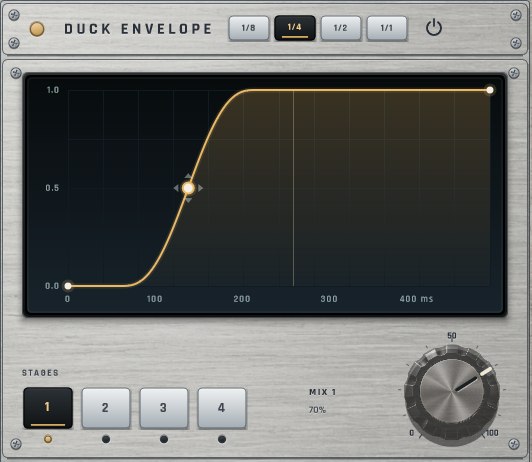
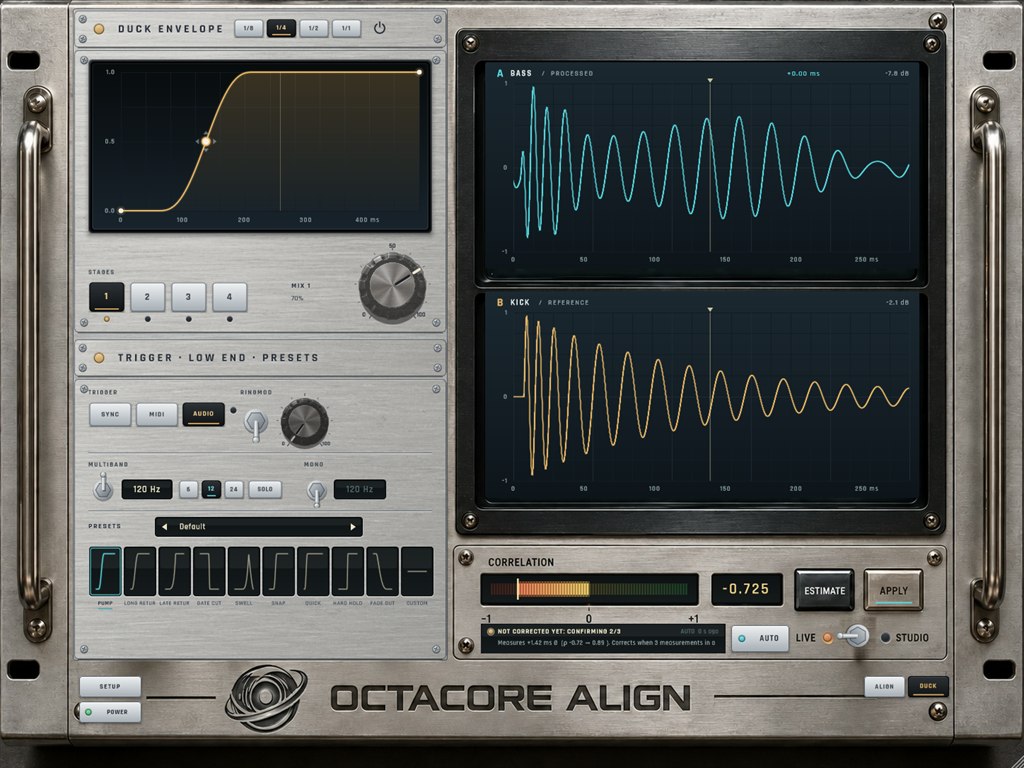
Stage 1 makes the pump. The others shape what it leaves behind: a short bounce between hits, a tail that breathes, movement one curve alone cannot make. They run in series, so each one only takes more away.
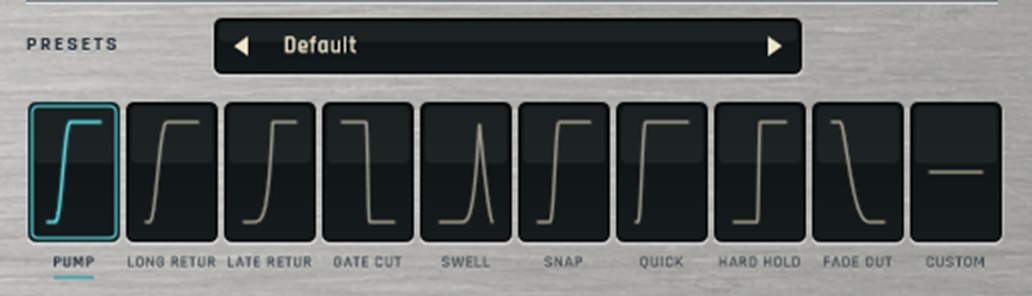
Nine ready curves plus a custom curve of up to 12 points. Drag the node sideways to move the duck in the cycle and up or down to bend the return. Save your curves and use them in any project.
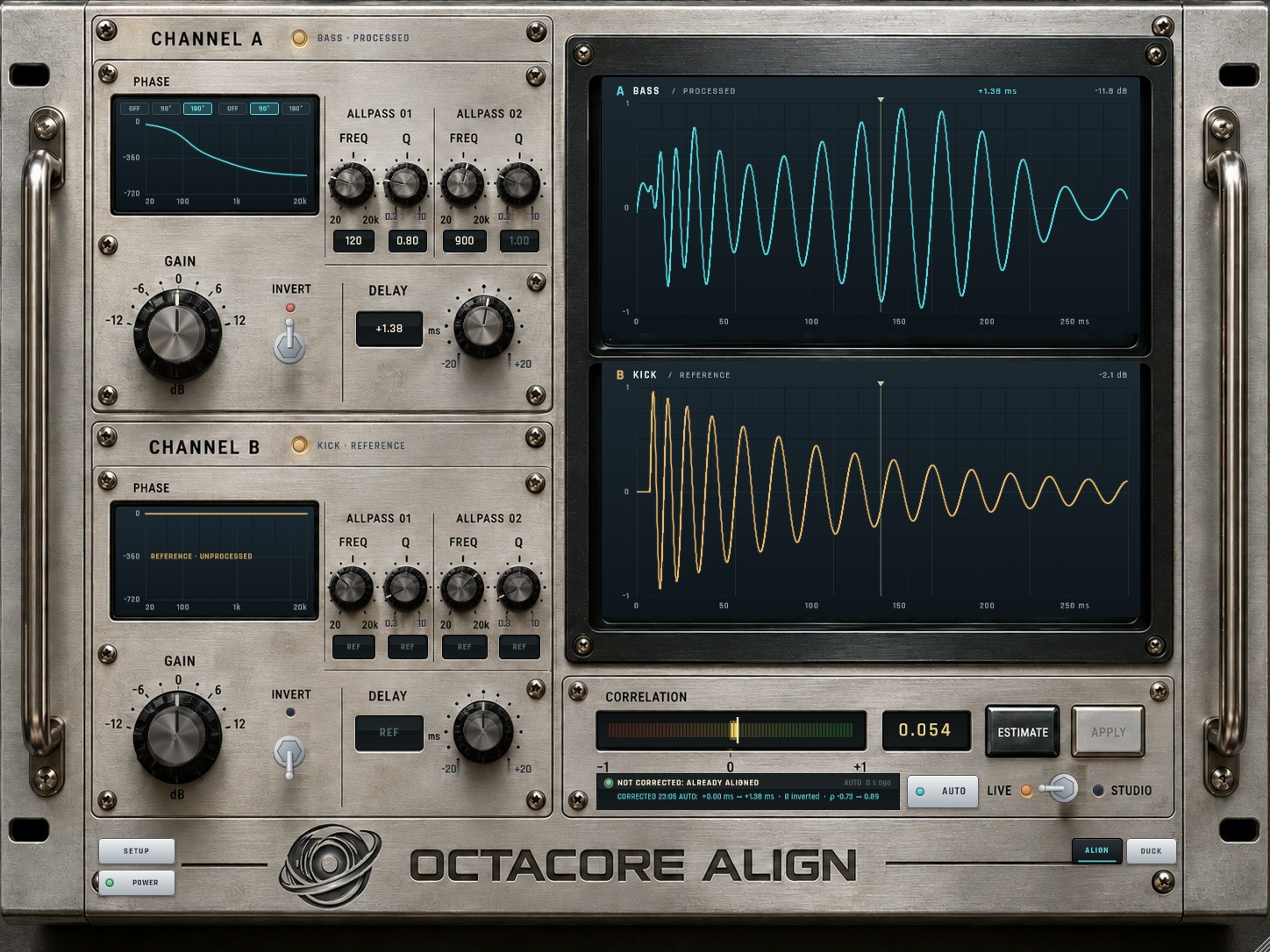
When the bass returns while the kick tail still rings, the two waves can cancel and the low end thins out right on the hit. Align compares the bass (channel A) with the sidechain kick (channel B, reference only) and fixes it.
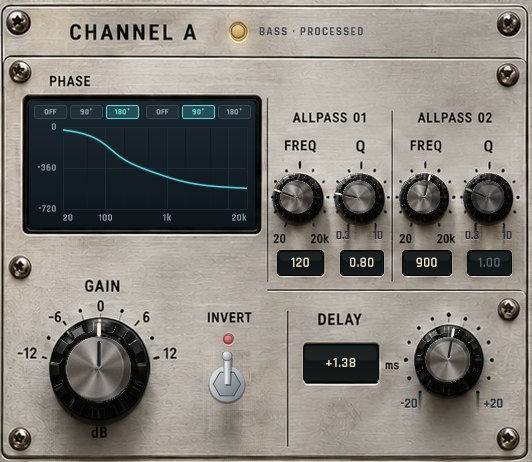
Two allpass filters per channel, 90° or 180°, with frequency and Q. The phase screen draws the real curve of the filter you hear, not a decoration.
ESTIMATE listens for 2 s, proposes delay and polarity and shows the correlation before and after. APPLY sets it in one undoable step.
AUTO corrects by itself, but only when three measurements in a row agree and the gain is clear. The report tells you whether it corrected, what changed and why not.
The kick cuts into the bass sample by sample. Instead of just ducking, the two waves lock together.
LIVE mode with no latency (0 to 20 ms) and STUDIO with look-ahead (−20 to +20 ms). Sessions from version 0.7 keep their classic engine with Phase Lock and Adaptive.
Keeps stage 1 ducking in the low end, below the crossover you pick (up to 250 Hz). Everything above passes untouched. 6, 12 and 24 dB slopes and a solo button.
Folds everything below the frequency you pick (up to 150 Hz) to mono, at the end of the chain. Everything above keeps its width.

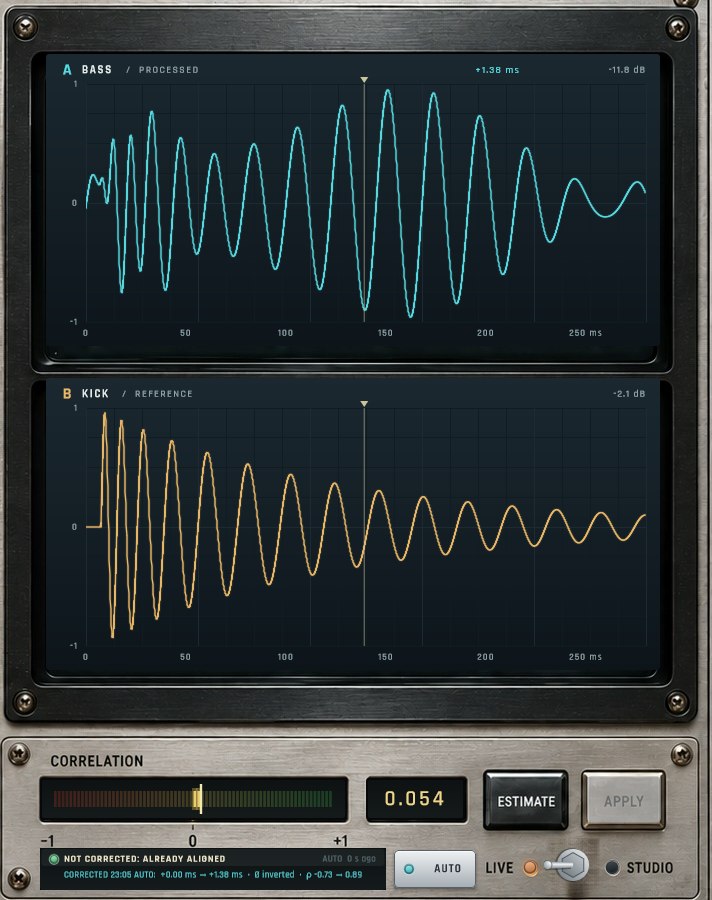
After every kick you see the bass (A) and the kick (B) on two screens, before and after processing, plus their correlation at the output. Below, the report: “CORRECTED 22:44 AUTO: +0.00 → +1.38 ms · Ø inverted · ρ −0.73 → 0.89”, or why it left things alone.
Everything you saw, in one plugin. Try it free for 7 days and buy when you are sure.

Create a free account, get the trial in your library and paste the key into the plugin. You get 7 days with every feature, starting when you activate it.
Each license works on one computer. If you switch computers, deactivate it from the plugin or your account and activate it on the new one.
Only to activate it. After that it works offline. Now and then, when online, it renews its certificate in the background.
After paying you get an email with your key, and the license shows up in your octacore.us account next to the installer.
Under the correlation meter a report says whether the last measurement corrected anything, exactly what changed (delay, polarity, correlation before and after) and, if nothing changed, why. Click it for the full log of the session.
For now it is Windows 10/11 64-bit only, in VST3 and CLAP formats.
Any host that loads VST3 or CLAP with a sidechain input: Ableton Live, FL Studio, Bitwig, Reaper, Studio One and Cubase, among others.
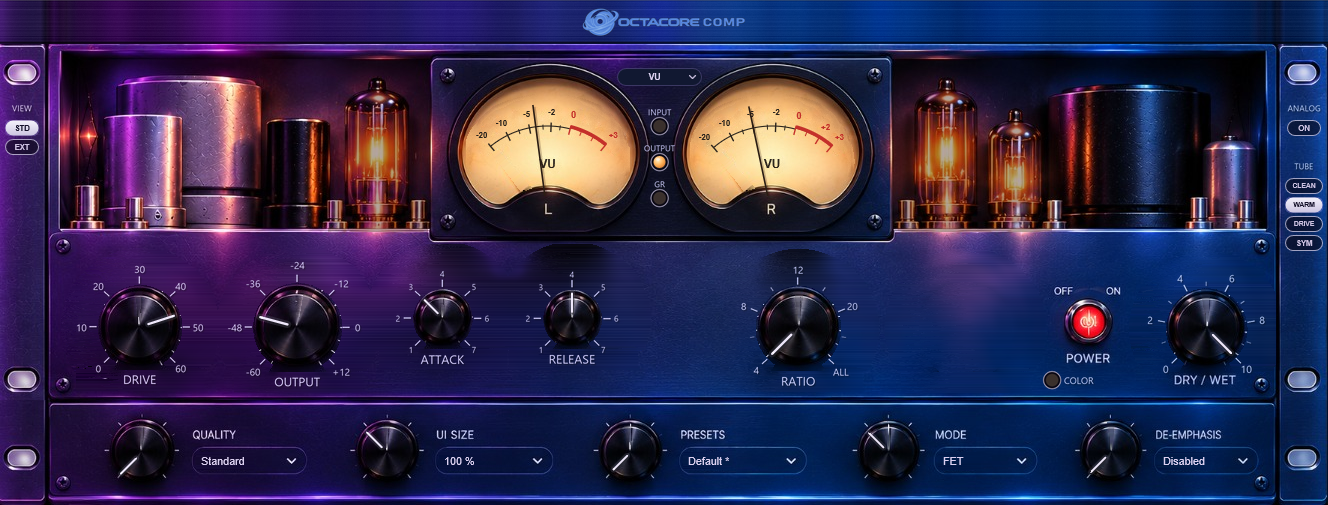
Tube compressor: four compressors, an ANALOG stage and a built-in analyser.
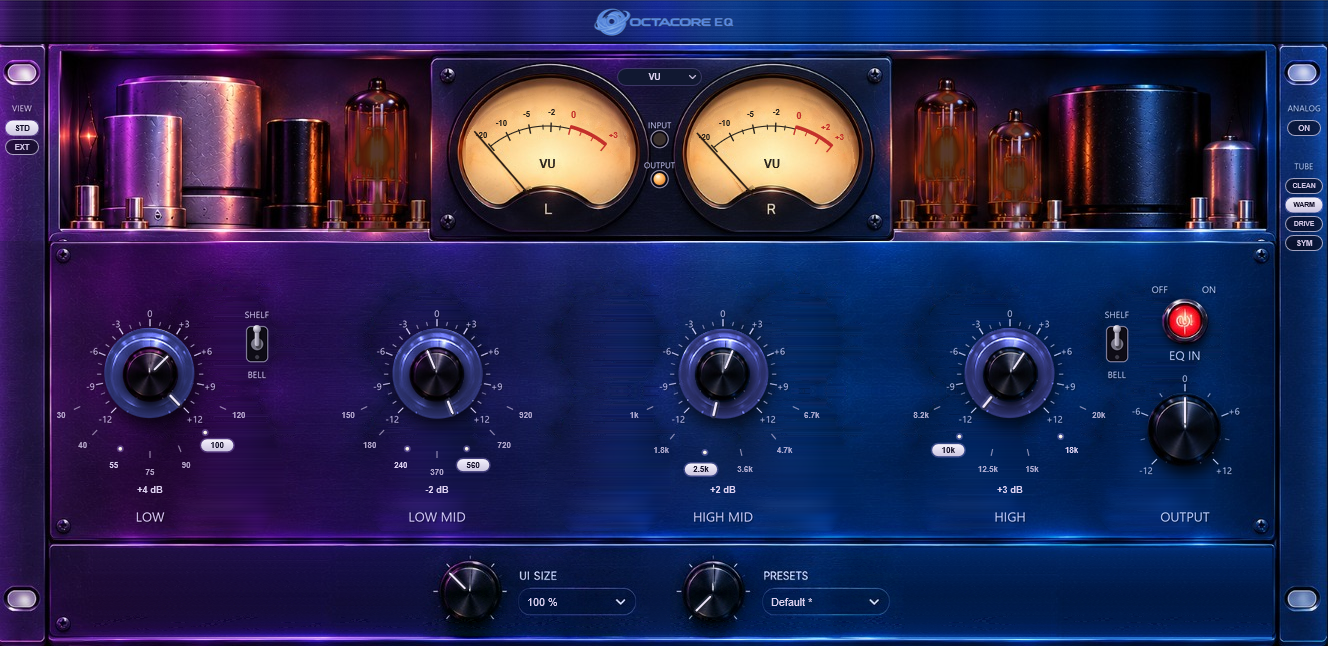
A four-band equalizer like a hardware unit: one concentric FREQ / GAIN knob per band.
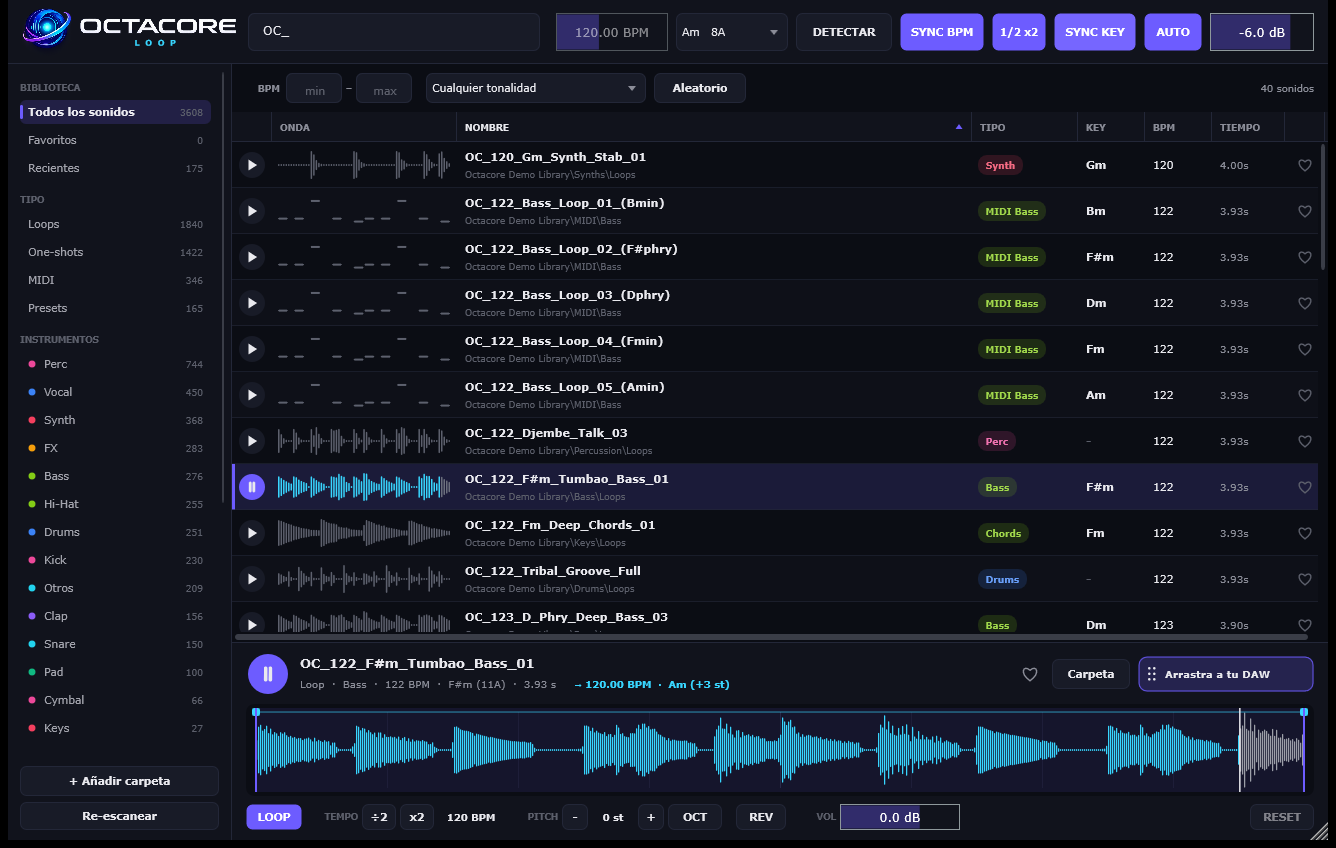
Your sample library like Splice, but local: in time and in key with your project.
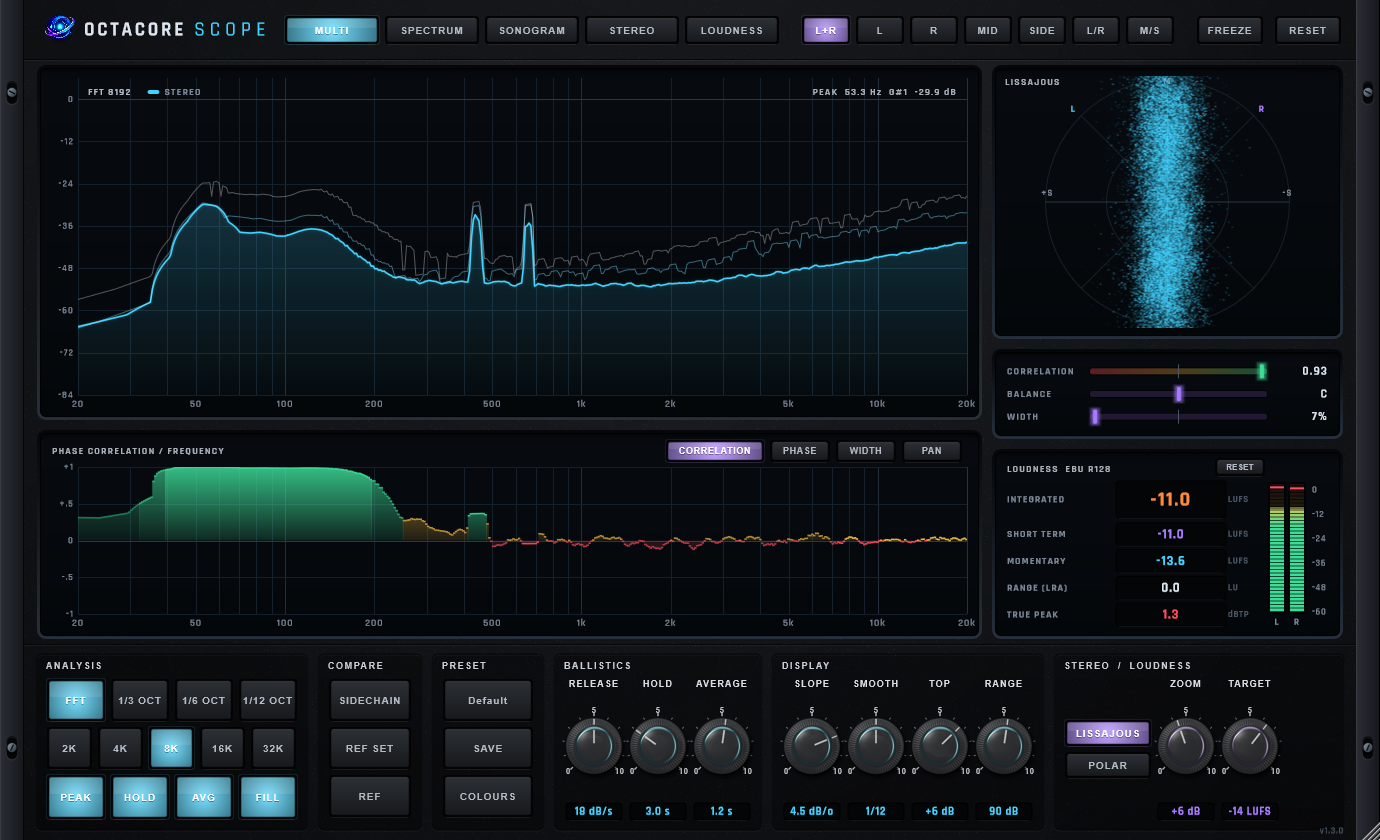
Professional analyzer: spectrum, phase per frequency, stereo and EBU R128 loudness.
DJ booth for Windows: two decks, mixer and effects.
Use this discount coupon at checkout and get any Octacore plugin for $10 instead of $30.
OCTA10
Ends in —